A video meeting starts soon
Check your seat first. If the connection looks unsteady, try another spot or network.
 WhiteSail
I want to check before a call
A hotel room, a café seat, or your desk at home. Check responsiveness, variation, and interruptions with WhiteSail, then compare places you have actually tested.
MADE FOR REAL MOMENTS
Check your seat first. If the connection looks unsteady, try another spot or network.
Test your desk, sofa, and bedroom, then compare the places you saved.
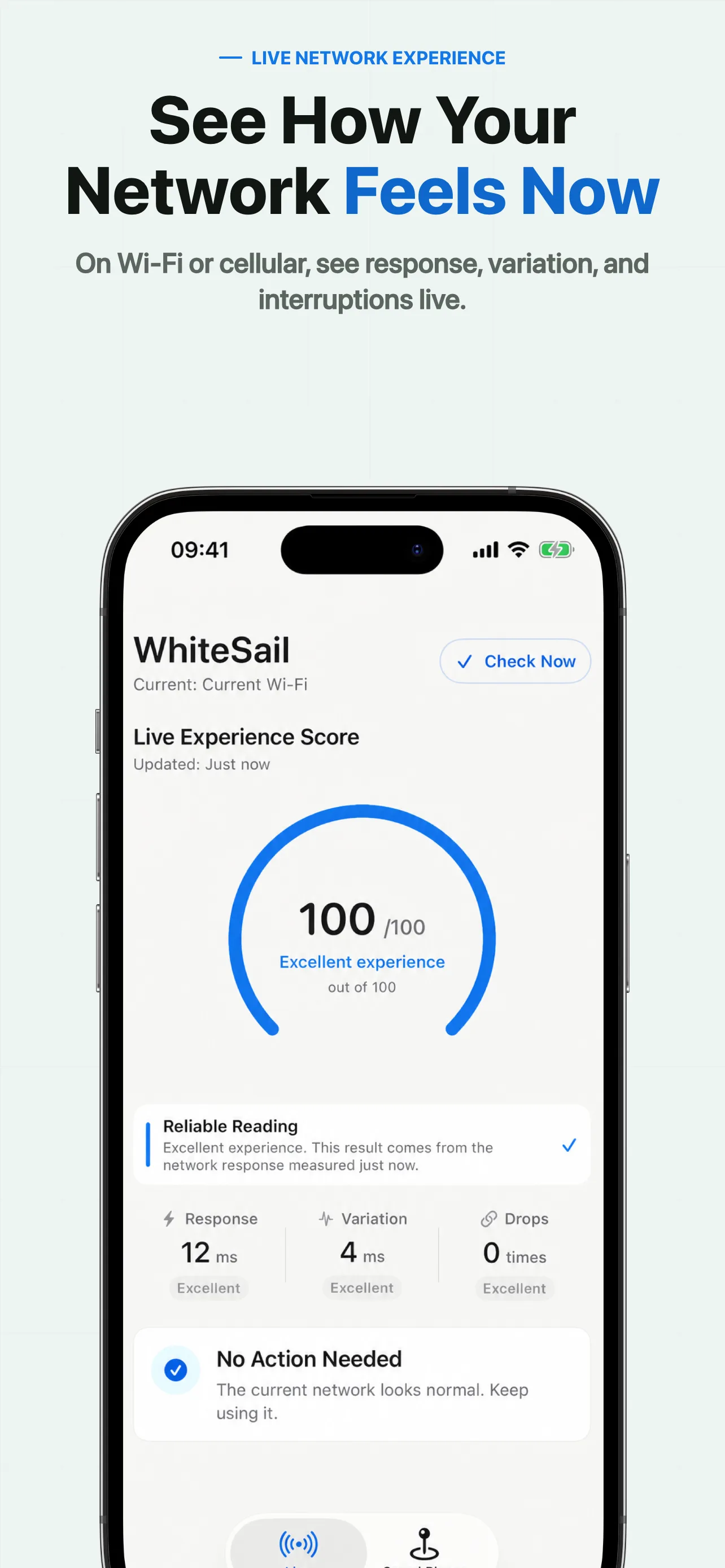
Look at response, variation, and interruptions to understand the current connection.
HOW IT WORKS
While WhiteSail is open on the Live tab, it continuously updates experience signals for the Wi-Fi or cellular connection you are using.
Choose a real place such as your bed, desk, sofa, hotel room, or café seat, then run a check of about five seconds.
Saved results stay grouped by the current Wi-Fi or cellular connection, so unlike networks are not casually mixed together.
KNOW WHAT YOU ARE GETTING
No account, ads, or third-party tracking SDKs · Wi-Fi name is used only when iOS returns it with permission · Network checks send requests to connectivity providers · Connectivity providers may process ordinary request metadata such as IP address
Read the privacy policy ↗Pay once. See the current price for your region on the App Store.
QUESTIONS
WhiteSail measures responsiveness, variation, and interruptions. It does not measure download bandwidth, boost a signal, or predict an untested location.
No. A result describes conditions during the check. Congestion, servers, and time can change the experience; retest before important use.
A USEFUL FIRST STEP